Dimensions as Rows, Measures as Rows
The heart of KC Star is two tall, narrow tables and two lookup tables. Here is how a sale becomes seven dimension rows and a handful of measure rows, and how a view pivots them back into something you can read.
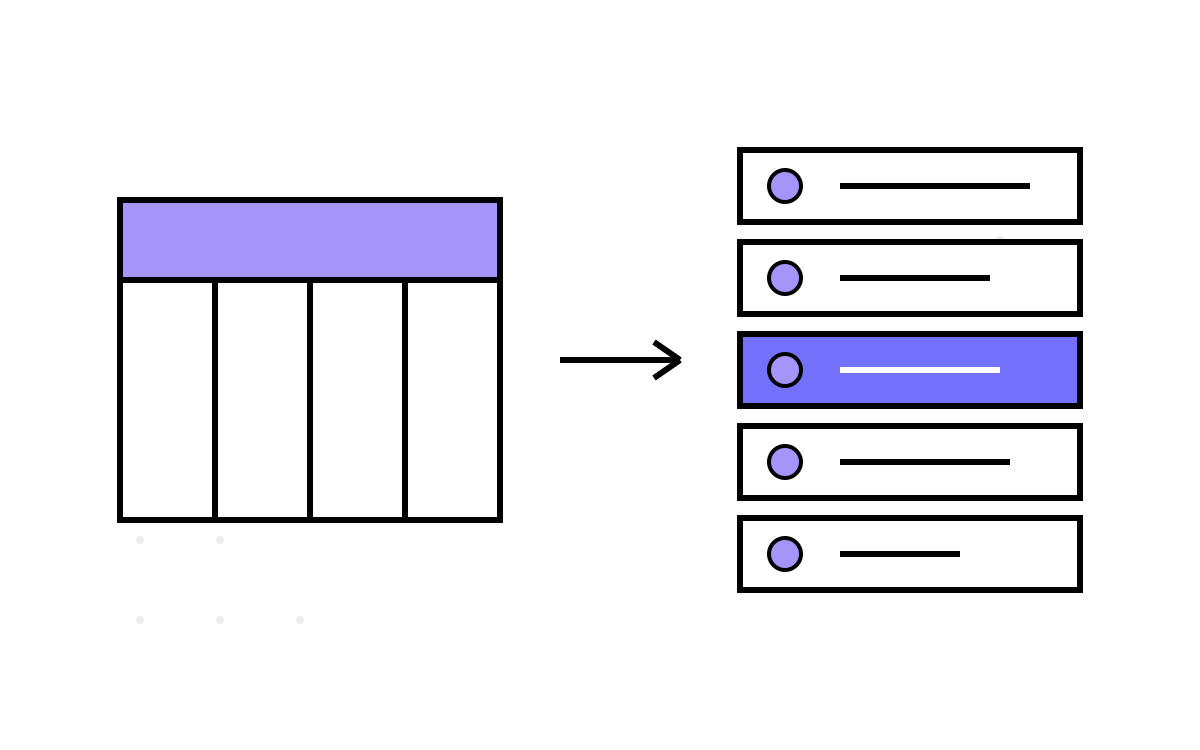
In part 1 I described the inversion in the abstract: dimensions and measures stored as rows, not columns. This post is the concrete version. Four tables carry the whole idea — two lookup tables that name the types, and two tall tables that hold the data — and once you see how they fit together, the rest of KC Star is variations on this theme.
The two lookup tables
Everything starts with declaring what a dimension is. In a classic schema you would do that by adding a column. Here you do it by adding a row:
CREATE TABLE DimTypeLookup (
    DimTypeId SMALLINT PRIMARY KEY,
    DimTypeName VARCHAR(100) UNIQUE,
    DataType VARCHAR(50)
);
V1 seeds seven dimension types:
INSERT INTO DimTypeLookup (DimTypeId, DimTypeName, DataType) VALUES
(1, 'ProductCount', 'INTEGER'),
(2, 'ProductPrice', 'DECIMAL'),
(3, 'Discount', 'DECIMAL'),
(4, 'Date', 'TIMESTAMP'),
(5, 'SaleType', 'VARCHAR'),
(6, 'ProductId', 'INTEGER'),
(7, 'CustomerId', 'INTEGER');
Note that SaleType is dimension type 5 here — a row like any other. That decision gets reversed in V2, but in V1 it is one of the seven. The DataType column is documentation, really: every value lands in the store as text and gets cast when a measure needs it.
MeasureTypeLookup is the same shape, and this is where V1 shows its hand:
CREATE TABLE MeasureTypeLookup (
    MeasureTypeId SMALLINT PRIMARY KEY,
    MeasureName VARCHAR(100) UNIQUE,
    CalculationFormula TEXT
);
Eight measures are seeded — but only four of them will ever be computed in V1. Measures 1 through 4 are TotalSale, NetRevenue, DiscountAmount and ProfitMargin: things you can calculate from a single sale. Measures 5 through 8 — SaleTypeTotal, SaleTypeAverage, OverallTotal, OverallAverage — need aggregation across many sales, and V1 never does that work. They sit in the lookup as a declared intention, and the presentation view returns NULL where they would go. I left them in on purpose: the lookup table is a roadmap, and a NULL column is an honest promissory note. V2 is where I pay it.
The two tall tables
SalesDim is the dimension row store, and its shape carries the whole SCD2 story:
CREATE TABLE SalesDim (
    DimSurrogateKey SERIAL PRIMARY KEY,
    SalesReferenceId INT,
    DimTypeId SMALLINT REFERENCES DimTypeLookup(DimTypeId),
    DimValue VARCHAR(255),
    EffectiveDate TIMESTAMP,
    ExpiryDate TIMESTAMP DEFAULT '9999-12-31 23:59:59',
    IsCurrent BOOLEAN DEFAULT TRUE,
    VersionHash BYTEA,
    CreatedDate TIMESTAMP
);
One row per (sale, dimension). SalesReferenceId ties a set of rows back to the originating sale; DimTypeId says which dimension this row carries; DimValue holds the value as text. The EffectiveDate/ExpiryDate/IsCurrent trio is the slowly-changing-dimension window — a current row expires at the far-future sentinel '9999-12-31 23:59:59', and history is just older rows with real expiry dates. Every dimension gets this treatment uniformly; there is no “we only version these three attributes” carve-out.
SalesFact mirrors it, with measures instead of dimensions:
CREATE TABLE SalesFact (
    FactId SERIAL PRIMARY KEY,
    SalesReferenceId INT,
    VersionHash BYTEA,
    MeasureTypeId SMALLINT REFERENCES MeasureTypeLookup(MeasureTypeId),
    FactValue DECIMAL(18,4),
    CalculationContext TEXT,
    ValidFrom TIMESTAMP,
    ValidTo TIMESTAMP DEFAULT '9999-12-31 23:59:59',
    IsCurrent BOOLEAN DEFAULT TRUE,
    CreatedDate TIMESTAMP
);
The SCD2 window here is ValidFrom/ValidTo/IsCurrent — same idea, different column names because facts version on a different trigger than dimensions do. CalculationContext stores the inputs that produced the value, so a fact can explain itself later. And VersionHash on both tables is the fingerprint that stitches a sale's dimension state to the facts derived from it — the subject of part 4.
The indexes are exactly what you would expect once you know the access patterns: both tables get indexed on VersionHash, SalesReferenceId and IsCurrent, and SalesFact additionally on ValidFrom/ValidTo because time-travel queries filter on them.
The pivot happens on read
Storing a sale as seven rows is great for writes and terrible for humans. Nobody wants to read a warehouse one key-value row at a time. So the columns come back at read time, in a view, using the MAX(CASE WHEN ...) pivot that every SQL developer eventually commits to muscle memory:
CREATE VIEW CurrentSalesState AS
SELECT
    d.SalesReferenceId AS Id,
    MAX(CASE WHEN dt.DimTypeName = 'ProductCount' THEN d.DimValue END) AS ProductCount,
    MAX(CASE WHEN dt.DimTypeName = 'ProductPrice' THEN d.DimValue END) AS ProductPrice,
    MAX(CASE WHEN dt.DimTypeName = 'Discount'     THEN d.DimValue END) AS Discount,
    -- ...one MAX(CASE) per dimension...
    NULL AS SaleTypeTotal,   -- computed from V2 onward
    NULL AS OverallTotal
FROM SalesDim d
JOIN DimTypeLookup dt ON d.DimTypeId = dt.DimTypeId
WHERE d.IsCurrent = TRUE
GROUP BY d.SalesReferenceId;
Each MAX(CASE WHEN ...) collapses the group of rows for one sale into one column. The WHERE d.IsCurrent = TRUE filter is what makes this the current state; drop it and add a timestamp predicate and you have time travel instead. And there, plainly visible, are the four NULL placeholders for the aggregate measures V1 declares but does not compute.
A companion view, SalesCompleteHistory, does the opposite — it leaves everything un-pivoted and joins dimensions to facts across all versions, so you can watch a sale evolve row by row. One view for “what is true now,” one for “everything that was ever true.”
Why text, and why it costs
The uncomfortable part of this design is DimValue VARCHAR(255). A product count, a price, a date and a customer id all live in the same column as text. That is the price of never changing the table shape: the type system stops helping you. When a measure needs ProductPrice as a number, a function casts the text and hopes it parses. Referential and type discipline that a columnar schema would get from the database moves into the triggers and functions instead.
I made that trade knowingly. The thing I wanted — add a dimension with an INSERT, get SCD2 history and time travel on it for free — is worth casting text in a handful of functions. But it is a real cost, and it is why the automation matters so much. Two triggers do all the work of keeping these four tables consistent, and that is where we go next.