Partitioning as a Backup Strategy
KC Star V7 ships two overlapping ways to partition and age out cold data - a static backup-partitioning subsystem and a dynamic one - both monthly range partitions on CreatedDate, both gated on one flag. The honest read on why a feature ended up implemented twice.
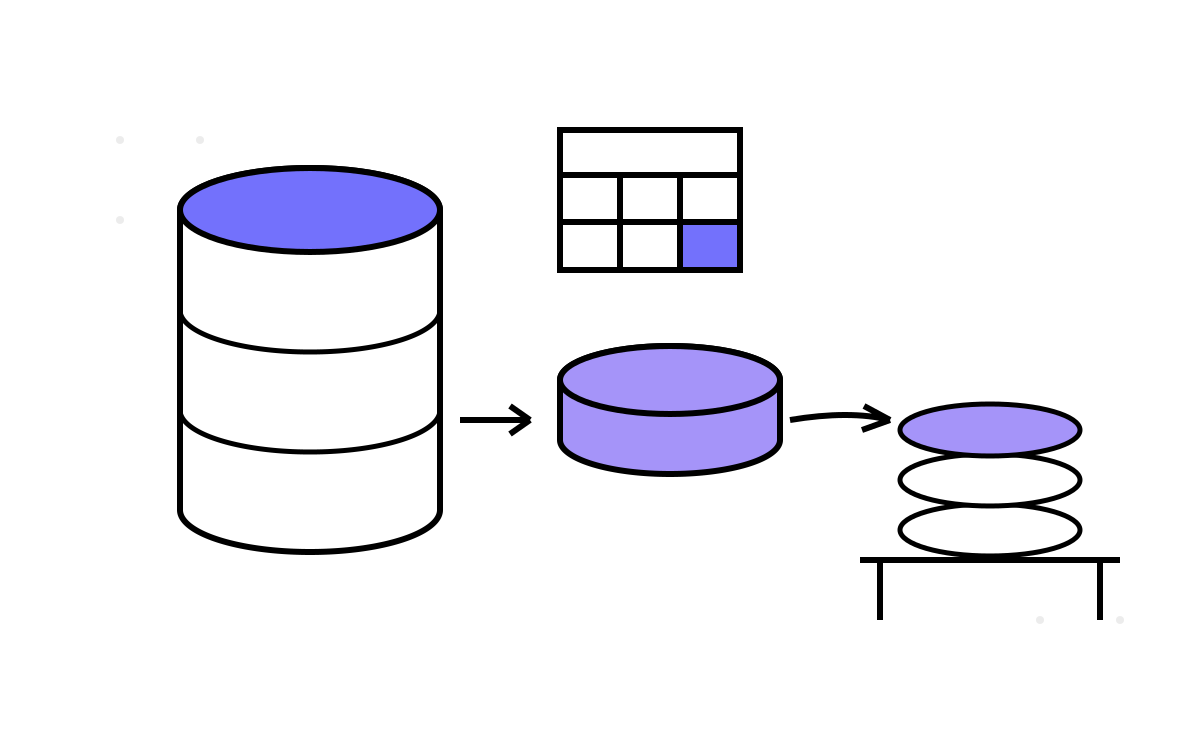
At ultra-scale, the hot tables get big, and big hot tables are slow hot tables. V7's answer is partitioning — slice the data by month, keep recent months hot, age old months out. That is a standard move. What is not standard is that V7 ships it twice: a static “backup partitioning” subsystem and a dynamic partitioning subsystem, both doing monthly range partitions on the same column, both gated on the same flag. This post is both mechanisms, why they overlap, and the honest read on how a single feature ended up implemented two ways in one version.
Two subsystems, one job
Both partition schemes share a foundation: monthly RANGE partitions keyed on CreatedDate, gated on the PARTITIONING_ENABLED flag that defaults to FALSE. But they are separate code, in separate files, with duplicated logic.
Static backup partitioning treats partitioning as an aging-and-archival strategy — hence “backup.” The main analytical tables (AnalyticalDim, AnalyticalFact, AnalyticalUpdateLog) stay non-partitioned and hold active data. Parallel partitioned tables (AnalyticalDimPartition, AnalyticalFactPartition, AnalyticalUpdateLogPartition) are declared PARTITION BY RANGE (CreatedDate), monthly. A set of functions moves data between them:
CreateBackupPartitions— creates monthly*_YYYY_MMpartitions with per-partition indexes.BackupToPartitions— copies rows older thanBACKUP_DAYS_OLD(default 30) into the partition tables.CleanupMainTables— deletes rows older thanCLEANUP_DAYS_OLD(default 7) from the main tables.DropOldBackupPartitions— drops partitions older than the retention window (default 24 months), matched by a regex on the partition name.RunPartitionBackupAndCleanup— orchestrates create → backup → cleanup → drop, and writes a summary row.
The mental model is a shelf: recent data lives in the main tables, monthly slices get copied to the partitioned archive, the main tables are trimmed, and old shelves eventually get thrown out. Partitioning here is really a data-lifecycle mechanism dressed as partitioning.
Dynamic partitioning is the more conventional version — partition the live tables themselves so queries prune to the relevant months. It offers CreatePartitionedTableIfEnabled (which appends PARTITION BY RANGE(col) via dynamic SQL only if the flag is on, else creates a plain table), CreateInitialPartitions, CreateNewPartitionIfNeeded, DropOldPartitions, GetPartitionInfo, and OptimizePartitions, which flags any partition over 1000 MB as SPLIT_RECOMMENDED. There is a MaintainPartitions function meant to run on a schedule, creating next month's partition ahead of time and dropping expired ones.
The overlap, and what it means
Look at those two lists and the duplication is obvious. Both create monthly partitions. Both drop old ones. Both key on CreatedDate. CreateNewPartitionIfNeeded and DropOldPartitions exist, in spirit, in both subsystems. They are two implementations of “partition by month and age data out,” living side by side in V7, both switched by the one PARTITIONING_ENABLED flag.
I am not going to pretend this was a plan. It is what it looks like: a feature that got rewritten without the first version being removed. I built the static backup-partitioning approach, then reconsidered and built the “simplified” dynamic approach, and the older attempt never got deleted. The V7 README even frames the newer one as fixing “confusion” — “Single PARTITIONING_ENABLED feature flag (no more confusion)” — which is a tell that the confusion was real and self-inflicted. The single flag unified the switch, but the two implementations behind it both survived.
The honest read
This is the most cluttered corner of V7, and I would rather diagnose it than dress it up.
It is a sign of a big version built fast. V7 added batch processing, feature flags, monitoring and partitioning in one jump — the largest in the project. When you are moving that fast across that many subsystems, you rewrite things and do not always clean up. Two partition implementations is the residue of exactly that pace. The two-pass fix scripts in the next post are the same story in a different subsystem.
The default being FALSE contains the blast radius. Because PARTITIONING_ENABLED defaults off, neither subsystem runs unless you deliberately turn it on. The duplication is dead code in a default install — which is why it survived unnoticed, and also why it did not cause production harm. Off-by-default is doing a lot of quiet protective work here.
The two approaches actually answer different questions. Static backup partitioning is about archival — moving cold data to a partitioned shelf and trimming the hot tables. Dynamic partitioning is about query performance on the live tables — pruning to relevant months. They are not purely redundant; they emphasise different goals. A cleaner V7 would have kept both capabilities but factored the shared partition-management logic into one place instead of duplicating CreateNewPartitionIfNeeded-style functions across two files. The overlap is the mess; the two goals are legitimate.
What I would do differently
The right shape is one partition-management core — create monthly partition, drop expired partition, report partition info — with two thin policies on top: an archival policy that copies-and-trims, and a live policy that partitions in place. V7 has the two policies and duplicated the core, which is backwards. It is a textbook case of the refactor you should do before shipping the second approach, not after, and I shipped in the wrong order.
I keep the duplication in the repo, like the misleading changelog and the fix scripts, because it is an honest artifact of how a large version actually gets built: not cleanly, in one pass, but by exploration, rewriting, and imperfect cleanup. A version that added four subsystems at once and came out perfectly tidy would be the surprising thing.
Why partitioning at all
Underneath the mess, the motivation is sound and worth restating. The batch pipeline exists to handle high volume, and high volume means the fact and analytical tables grow without bound. Partitioning by month lets you keep the working set small — recent data hot and queryable, old data archived or pruned — which keeps both writes and time-scoped reads fast as the total data grows. It is the natural companion to batch processing: batch handles the write rate, partitioning handles the accumulated volume. V7 needed both; it just built the second one twice.
The partition mess is one V7 scar. The next post is the sharpest one: two fix scripts and what they confess, where refactoring V6's monolith into V7's subfolders broke the schema in two passes.