Paying Down the Migration Debt
Lazy migration makes deploys instant but taxes every read of old data. VersionKit's backfill service rewrites stale payloads in scheduled batches until the store converges on the current version - in a host, or from a serverless function. Part 6 of the Entity Versioning with VersionKit series.
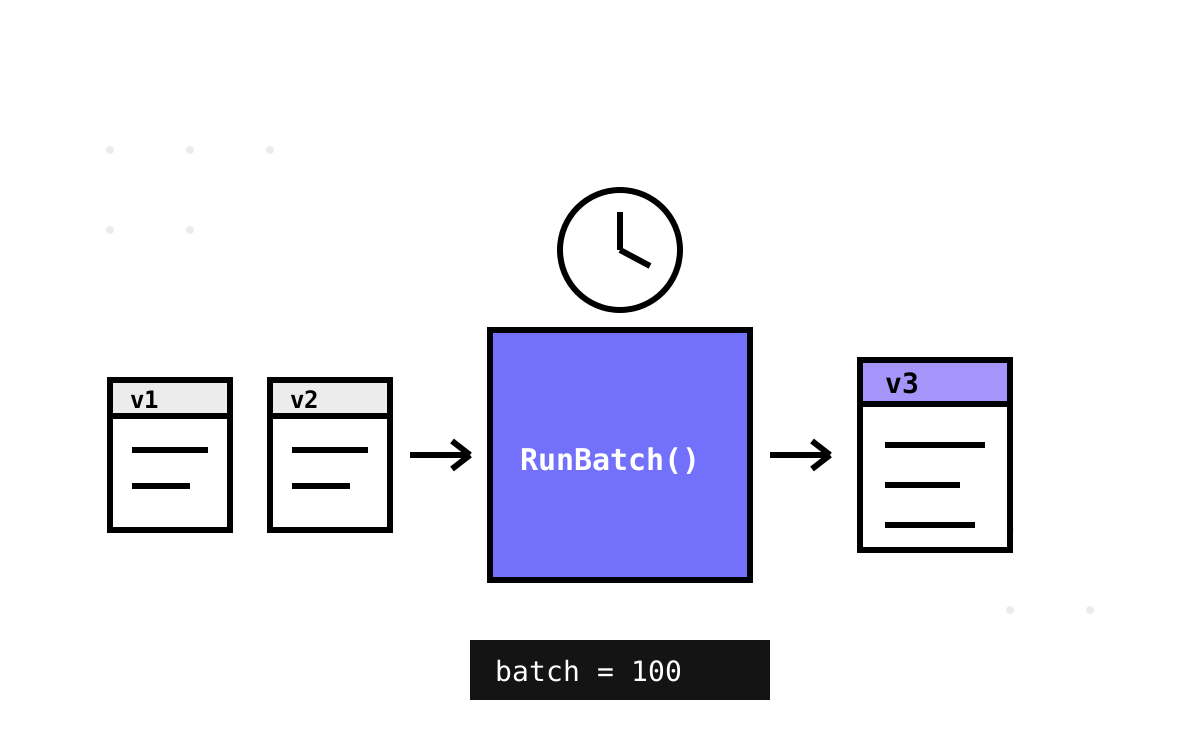
Lazy migration is a loan. Deploys are instant because no data is rewritten — and in exchange, every read of a v1 payload pays interest: parse, walk, stamp, reserialise, every single time, forever. For a payload read once a year the interest is nothing. For a hot row read a thousand times an hour, you are running the same rename on the same JSON a thousand times an hour, and that should offend you a little.
VersionKit's answer is the backfill service: a background worker that finds stale payloads in batches, migrates them through exactly the same pipeline reads use, and writes them back at the current version. Reads get cheaper over time; the store converges. This part covers the service, the storage contract it demands from you, and the operational decisions baked into its loop.
The shape of the loop
BackfillService is a standard BackgroundService, enabled and tuned through the options you saw in Part 3:
builder.Services.AddVersionKit(v =>
{
    v.EnableBackfillService     = true;   // default false — opt in
    v.Backfill.RunIntervalHours = 6;      // default 6
    v.Backfill.BatchSize        = 100;    // per entity type, per run
});
Its execute loop is deliberately unexciting:
protected override async Task ExecuteAsync(CancellationToken stoppingToken)
{
    // initial delay — let the app finish starting up
    await Task.Delay(TimeSpan.FromSeconds(15), stoppingToken);

    while (!stoppingToken.IsCancellationRequested)
    {
        try
        {
            var migrated = await RunBatchAsync(stoppingToken);
            // logs "all payloads at current version" when migrated == 0
        }
        catch (Exception ex) when (ex is not OperationCanceledException)
        {
            _logger.LogError(ex, "VersionKit BackfillService: unhandled error");
        }

        await Task.Delay(TimeSpan.FromHours(_options.RunIntervalHours), stoppingToken);
    }
}
Three small decisions worth defending. The 15-second startup delay exists because backfill is the least urgent work in the process; letting connection pools warm and health checks pass before a batch of writes lands avoids the classic thundering-start where a background service competes with first user traffic. The catch-everything-but-cancellation wrapper means a poisoned batch degrades to a log line and a retry next interval, never a crashed host — a background remediation service that can take down the app it is remediating has its priorities inverted. And migrated == 0 is logged, not treated as done: new stale payloads appear whenever you bump a schema version, so the service idles rather than exits.
The storage contract: you bring the store
VersionKit deliberately does not know where your payloads live — document column, event store, cache, blob container. The service asks for them through a two-method interface you implement:
public interface IBackfillStore
{
    Task<List<StalePayload>> GetStalePayloadsAsync(
        Type entityType, int currentVersion, int batchSize, CancellationToken ct = default);

    Task UpdatePayloadsAsync(
        Type entityType, IReadOnlyList<PayloadUpdate> updates, CancellationToken ct = default);
}

public sealed record StalePayload(string Id, string Json);
public sealed record PayloadUpdate(string Id, string MigratedJson, int NewVersion);
The records keep the boundary honest: the service hands you nothing but ids and JSON strings, and hands back nothing but ids, migrated JSON, and the version it now carries. Id is a string on purpose — your keys might be Guids, longs, or composite; the service never interprets it, only round-trips it.
The interesting implementation question is "how do I find stale payloads efficiently?" — and the honest answer is: with a predicate on the version inside the JSON. An EF Core store against a payload column looks like this (sketch from the library's docs, trimmed):
public async Task<List<StalePayload>> GetStalePayloadsAsync(
    Type entityType, int currentVersion, int batchSize, CancellationToken ct)
{
    var rows = await _db.Set(GetArchiveType(entityType))
        .Where(a => !a.ScalarPayload.Contains($"\"__version\":{currentVersion}"))
        .Take(batchSize)
        .Select(a => new { a.Id, a.ScalarPayload })
        .ToListAsync(ct);

    return rows.Select(r => new StalePayload(r.Id.ToString(), r.ScalarPayload)).ToList();
}
A LIKE over JSON text is crude, and I will happily say so. On PostgreSQL you would do better with a jsonb column and (payload->>'__version')::int < @current, ideally behind an expression index; on SQL Server, JSON_VALUE. Better still is a real SchemaVersion column maintained alongside the payload, which turns staleness into an indexed integer comparison — the EF Core integration in Part 7 does exactly that with its registry. The interface does not care which you choose; it only cares that repeated calls eventually return an empty list.
One contract subtlety: the service calls you per entity type, with the type as a parameter. If all your payloads share one table, dispatch on a discriminator column; if each type has its own store, dispatch on the type. Either way the batching is per type per run — with the defaults, a store holding three versioned entity types rewrites at most 300 payloads every six hours.
Inside a batch
RunBatchAsync is where the eager path reuses the lazy machinery:
foreach (var entityType in MigrationRegistry.AllVersionedTypes())
{
    var migrator = MigrationRegistry.Get(entityType);
    var stale = await store.GetStalePayloadsAsync(
        entityType, migrator.CurrentVersion, _options.BatchSize, ct);

    foreach (var record in stale)
    {
        try
        {
            var payload = JsonSerializer.Deserialize<Dictionary<string, object?>>(record.Json)
                ?? new Dictionary<string, object?>();
            var migrated = migrator.MigrateToLatest(payload);
            updates.Add(new PayloadUpdate(record.Id,
                JsonSerializer.Serialize(migrated), migrator.CurrentVersion));
        }
        catch (Exception ex)
        {
            _logger.LogWarning(ex, "failed to migrate payload {Id} for {Type}",
                record.Id, entityType.Name);
        }
    }

    if (updates.Count > 0)
        await store.UpdatePayloadsAsync(entityType, updates, ct);
}
The migration is MigrateToLatest — the identical walk from Part 4, hand-written overrides and type migrators and all. That identity is the design's quiet guarantee: backfill cannot produce a different result than a lazy read would have. There is one pipeline; eager and lazy differ only in when it runs and where the output goes.
The per-payload try/catch is the error-isolation decision: one unmigratable payload — malformed JSON from an ancient bug, a type migrator surprise — is logged with its id and skipped, and the other ninety-nine proceed. The failure mode to watch is the permanently stale payload: skipped this run, matched again next run, skipped again, forever. The log warning fires every interval, which is your signal. This is also where the Part 5 sharp edge becomes a virtue: because backfill runs every payload through every conversion on a schedule, data that would trip a type migrator surfaces in backfill logs within hours of a deploy, not months later in a customer-facing read.
Batch writes go back through UpdatePayloadsAsync in one call per type, leaving transactionality to you. The in-memory demo updates records in place; a database store should wrap the batch in a transaction or accept per-row upserts — the service is indifferent, because it will simply not see updated payloads as stale next time.
The same code, serverless
An always-on hosted loop is wrong for some deployments — scale-to-zero apps, or teams that want migration compute isolated from user traffic. The service anticipates this: RunBatchAsync is public, and the intended pattern is to disable the loop and call one batch per schedule tick:
// in the function app's setup: EnableBackfillService = false

public async Task Handler(/* timer / EventBridge / cron trigger */)
{
    var migrated = await _backfillService.RunBatchAsync();
    _logger.LogInformation("Backfilled {Count} payloads", migrated);
}
The library's own docs frame this for AWS — EventBridge schedule invoking a Lambda — and the shape is identical for an Azure Functions timer trigger. Everything about the loop that made it host-friendly (bounded batches, error isolation, idempotent work) is exactly what makes it timer-friendly: a run that dies mid-batch leaves payloads either migrated or untouched, and the next tick picks up whatever remains. Convergence does not care who calls the method.
Tuning, and when not to bother
Two knobs, both boring by design. BatchSize bounds the write burst per type per run; raise it if convergence is too slow after a version bump, lower it if backfill writes contend with peak traffic. RunIntervalHours (a double — 0.25 is fifteen minutes) sets how aggressively you chase convergence. My defaults bias gentle: 100 payloads per type every six hours converges a hundred-thousand-row store in under a fortnight, invisibly.
And sometimes the right setting is off. If your stale data is read rarely and evenly — an archive nobody queries twice — eager rewriting is pure cost: you pay to migrate payloads whose lazy migration would never have amounted to anything. Backfill earns its keep when reads concentrate on old-but-hot data, when you want to eventually retire old version handling, or when audit posture demands the store hold one consistent shape. Debt is only worth prepaying if you were going to be charged.
Everything so far has lived in JSON payloads — documents, snapshots, caches. But domain data also lives in columns, where a rename is an ALTER TABLE and old rows cannot lazily migrate because the table itself changed shape. The second half of the series takes the same declared history into EF Core, starting with a structural trick: giving every old schema version its own table.
Next: Give Old Rows Their Own Table — table-per-version, the entity registry, and the archive-and-create migration pattern.