Where Does the State Live?
Empty backend blocks, per-environment storage accounts and a state file for every stack-environment pair - how one Azure estate partitioned a thousand Terraform states for blast radius, and what that sprawl cost. Part 3 of the Terraform on Azure series.
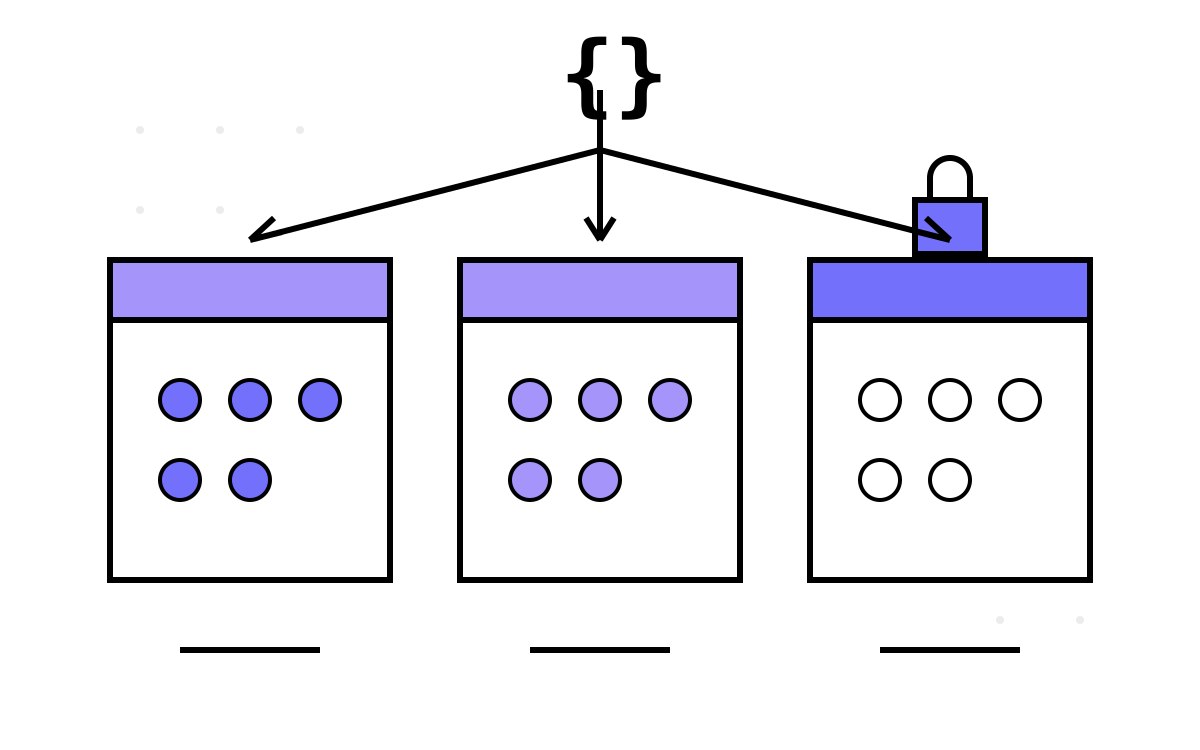
Terraform state is where infrastructure-as-code stops being a programming problem and becomes an operations problem. The code says what you want; the state remembers what you have; and every design decision about where that memory lives is really a decision about blast radius, access control and how bad your worst day can get.
The estate this series describes — introduced in Part 1 — ended up with over a thousand state files: roughly 230 stacks, each with up to six environments, each environment one blob in an Azure storage account. This part is about how that partitioning worked, why the team layered workspaces on top of per-environment storage, and what I would keep or change.
The empty backend block
Open any stack in the estate and the backend declaration is almost aggressively uninformative:
terraform {
  backend "azurerm" {}
}
Every actual value — storage account, resource group, container, state key — arrives at init time from the pipeline:
- task: TerraformTaskV4@4
  displayName: terraform init
  inputs:
    command: init
    backendServiceArm: $(serviceConnection)
    backendAzureRmResourceGroupName: $(stateResourceGroup)
    backendAzureRmStorageAccountName: $(stateStorageAccount)
    backendAzureRmContainerName: tfstate
    backendAzureRmKey: app-orders.terraform.tfstate
This is partial backend configuration, and the estate used it for a reason that goes beyond tidiness: the same code has to land in different storage accounts depending on the environment. You cannot hardcode a backend that varies — HCL forbids variables in backend blocks — so the backend becomes pipeline data, like everything else environmental.
The trade-off is honest and worth stating plainly: a stack with an empty backend block cannot be run outside its pipeline without hand-assembling a -backend-config incantation. The team treated that as a feature — nothing in this estate was meant to be applied from a laptop — but it does raise the floor for debugging. When you genuinely need a local plan, you are reverse-engineering pipeline variables first.
Per-spoke storage: isolation you can point a firewall at
Here is the decision I think the estate got most right. Dev, staging and prod state did not live in one storage account with clever naming. They lived in different storage accounts, in different subscriptions, following the hub-and-spoke network model — one state store per spoke.
The pipeline selects the right one from platform variables (the same PlatformVariables repo from Part 2):
parameters:
  - name: spokeSelection
    displayName: Environment spoke
    type: string
    values: [dev, staging, prod]

variables:
  - template: platform-vars/${{ parameters.spokeSelection }}.yaml@PlatformVariables
    # supplies stateStorageAccount, stateResourceGroup, serviceConnection...
Why this matters more than it looks:
- Access control is subscription-shaped. Terraform state contains secrets in plaintext — connection strings, keys, anything a resource ever output. With per-spoke storage, “who can read prod state” reduces to “who can read the prod subscription”, which your existing RBAC already answers. No custom scheme required.
- The blast radius of a storage mishap is one environment. Delete the wrong container, misconfigure a lifecycle policy, botch a firewall rule — you have hurt dev, or prod, but never both.
- Prod state never transits a non-prod credential. Each environment's service connection can only reach its own spoke's storage. A compromised dev pipeline cannot even see production state.
So why workspaces too?
Given per-environment storage accounts, the additional terraform workspace select prod inside each state key looks redundant — and for isolation, it mostly is. The blobs were already physically separated; the workspace adds a env: suffix convention inside a storage account that only ever holds one environment anyway.
The workspace's real job, as Part 2 showed, is driving local.env for the lookup-map idiom. It is an in-code selector wearing a state-partition costume. I think it is important to say this out loud, because the double layer confuses every new joiner: they see workspaces and assume that is where environment isolation comes from, then propose “simplifying” to one storage account since workspaces have it covered. The correct mental model is the opposite — storage is the isolation, the workspace is a variable.
Would I keep both layers greenfield? Probably yes, but I would document the division of labour in the template README in bold type, and I would add a guard so the default workspace can never plan:
lifecycle {
  precondition {
    condition     = terraform.workspace != "default"
    error_message = "Select an environment workspace before planning."
  }
}
Partitioning: one state per stack per environment
The estate's unit of state was (stack × environment) — the App Service stack's prod state is one blob, its dev state another blob in another account, the neighbouring Function App's prod state a third. Around 230 stacks and up to six environments multiplies out to the thousand-blob figure.
What that buys you is surgical apply scope. Deploying one microservice's infrastructure touches one small state file; a lock on it blocks nobody else; a corrupted state costs you one service in one environment; terraform plan completes in seconds because the graph is tiny. In an estate where ~92 Azure Functions deploy independently, that granularity is not a nice-to-have — coarse shared state would have serialized every team behind one lock.
What it costs you:
- No atomic cross-service change. If the App Gateway stack and the App Service stack must change together, that is two applies and a human sequencing them. The estate compensated with string conventions rather than
terraform_remote_state— a whole story of its own in Part 7. - ~230 nearly identical pipelines, each carrying its own backend wiring. Copy-paste at that multiplicity guarantees drift, which brings us to the ugly part.
Naming drift: the museum of state keys
State keys in the estate were assigned by convention — <stack-name>.terraform.tfstate — and conventions without enforcement decay. Over the years the keys drifted: some acquired prefixes (app/, sqldb/) when someone tidied a container, some stayed bare; and at least one stack's key still carried a service's old name years after the service was renamed, because renaming a state key means a migration nobody wants to own.
None of this breaks anything day to day. It breaks the day you need to find something — an auditor asks which blob backs a production resource, or an operator must restore state from a soft-deleted blob during an incident — and the answer requires tribal knowledge instead of a rule. A state key is forever in the same way a module interface is forever: the cost of a sloppy name is paid by every future reader.
If I ran this estate today I would generate the key rather than type it — derive it from the folder path in the pipeline, one expression, zero drift:
backendAzureRmKey: $(Build.Repository.Name)/$(stackFolder).tfstate
What I'd keep, what I'd change
Keep: per-spoke storage accounts (the single best security decision in the estate), per-(stack × environment) partitioning, the empty backend block. Small state files and subscription-shaped access control aged very well.
Change: derive state keys mechanically; enable blob versioning and soft delete on every state container from day one (state is the one file whose previous version you will someday need at speed); add a scheduled terraform plan -detailed-exitcode drift job per stack, because a thousand small states means a thousand places drift can hide quietly; and write down, once, that workspaces are selectors — before the next person “simplifies” the wrong layer.
State answers where memory lives. The next question is who is allowed to change it, and how a plan becomes an apply — the pipelines. That is Part 4, The Operator Console and the Maturity Ladder.